Your treatments.
Add the services you offer, how long they take and what they cost. Got a price list already? Paste it in and we’ll turn it into your menu, ready for you to check. Set a deposit for each treatment where you need one.
A late-night message should not need a late-night reply. Give clients a booking link so they can choose a treatment and an available time themselves.
Yes. Clients open your booking page on their phone, see your treatments and prices, then choose an available appointment.
When you set a deposit, they pay it through Stripe as part of the booking. It goes to your own bank account. Stripe’s processing fees apply, and we add nothing on top.
You spend less time checking the diary in a message thread. They can book when it suits them.
Follow the whole appointment journey ↗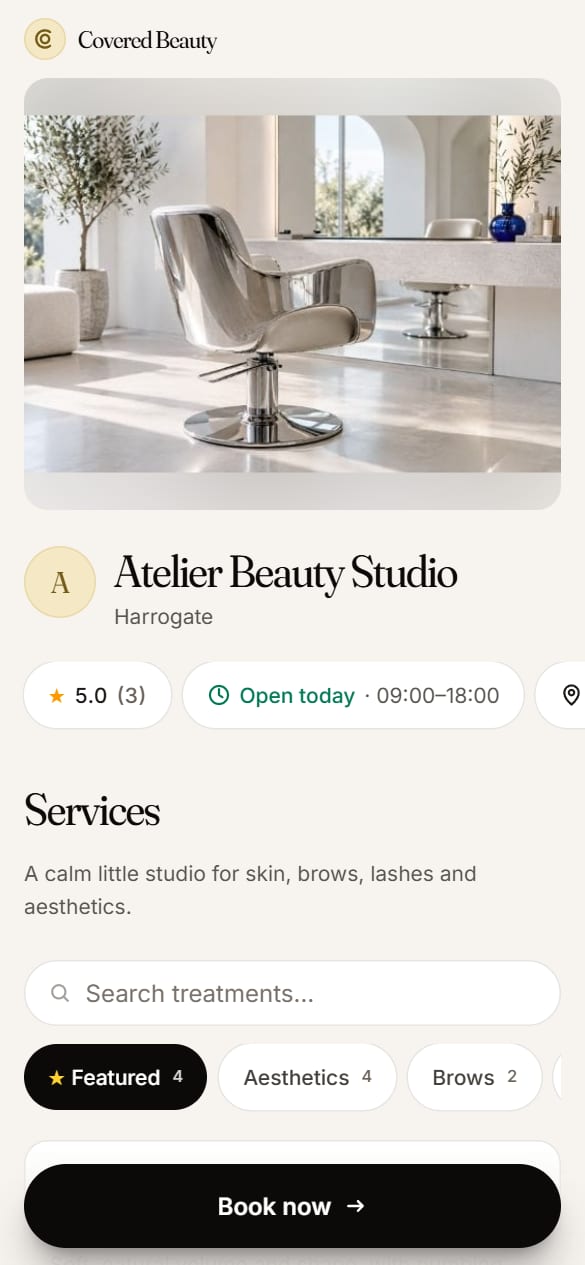
Add the services you offer, how long they take and what they cost. Got a price list already? Paste it in and we’ll turn it into your menu, ready for you to check. Set a deposit for each treatment where you need one.
Set the times you take appointments. Clients choose from availability, and confirmed bookings appear in your diary.
Add your logo, photos and colours. Share your booking link on your website, Instagram and Facebook. Salon also supports your own web address.
Booking is the start. Collect signed consent forms before the visit and keep them with the client’s record. Email reminders help clients remember when they are due in.
Need a form from someone who hasn’t booked? Send them a private link to fill in on their phone, or hand them your tablet in the salon.
On the Salon plan, a shared diary gives your team a view of the day. Smart rebooking helps you spot clients who may be due back.
Explore client records and consent forms ↗
See how online consultation forms work ↗
Taking bookings in Instagram messages? Read how to get booked from Instagram.
Need words for your deposit and cancellation rules? Write your policy free with our policy writer.
Not sure how much deposit to ask for? Read how to take deposits for beauty appointments.
Yes. Solo includes unlimited bookings and a branded booking page for one practitioner at £9/month. Salon is £19/month for up to five people.
Covered Beauty takes no booking commission, including on first visits. Stripe processing fees apply to card payments. Optional extras, such as additional texts, are separate.
Yes. Share your booking link on your profiles so people can go from looking at your work to choosing an appointment.
A booking page gives interested clients a way to book. You still need to help people find your business through your own marketing, recommendations or other channels. No booking system can promise a full diary.
Still choosing? Compare salon booking software, read our guide to Fresha alternatives for small UK salons, or use our buying checklist during your trial.